
Key Takeaways
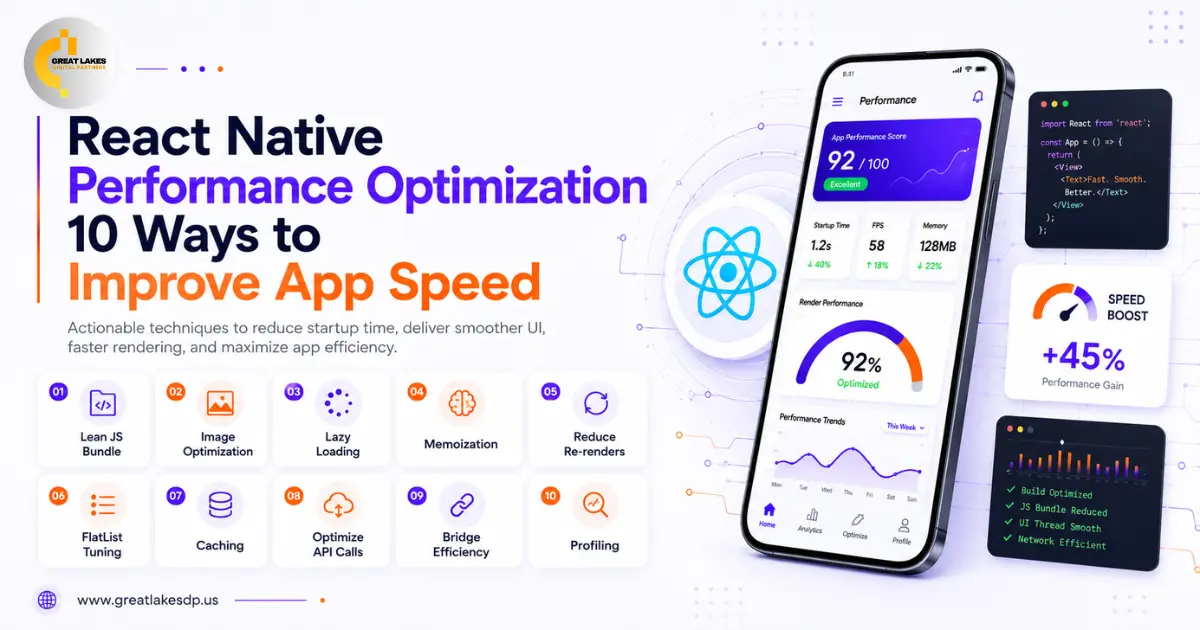
- App speed shapes how users feel about your app, so performance is a business issue, not just a technical one.
- The Biggest Speed Wins in 2026 Come from React Native’s Modern Defaults: the New Architecture and the Hermes engine.
- Long lists, heavy images, and unnecessary re-renders are the most common causes of lag.
- Always measure with a profiler before optimizing, so you fix the real problem.
- A few focused changes usually deliver most of the speed improvement.
A slow app frustrates users and drives them away, while a fast one keeps them coming back. React Native performance optimization is about making your app start quickly, scroll smoothly, and respond the instant someone taps. The good news is that 2026 is the easiest year yet to build a fast React Native app. This guide shares 10 practical ways to reduce React Native app lag and improve app loading speed.
Why Does React Native App Performance Matter?
React Native app performance matters because speed directly shapes the user experience. A fast app keeps people engaged and builds trust, while even a short delay can cause users to leave and not return. Strong mobile app performance is one of the most important parts of user experience optimization, and it has a real effect on sales, sign-ups, and reviews.
10 Ways to Improve React Native App Speed
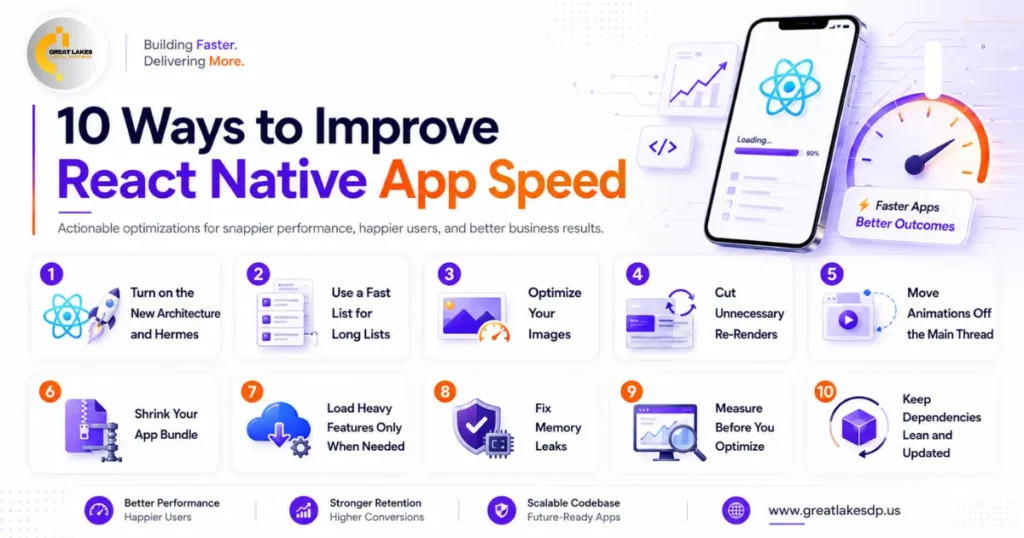
You can improve React Native app speed by using modern defaults, optimizing lists and images, cutting unnecessary work, and measuring before you change anything. Here are 10 proven techniques for React Native speed optimization in 2026.
1. Turn on the New Architecture and Hermes
React Native’s New Architecture and its Hermes engine are now the default, and together they give the single biggest speed boost. They deliver faster startup, lower memory use, and smoother screens with no extra work beyond staying on a recent version.
2. Use a Fast List for Long Lists
Long, scrolling lists are a common source of lag. Using a high-performance list component (such as FlashList) instead of the basic list keeps scrolling smooth, even with thousands of items, because it only renders what is on screen.
3. Optimize Your Images
Large images slow down loading and eat memory. Compress images, serve them at the right size for the screen, and cache them so they do not reload every time. This is one of the quickest wins for app loading speed.
4. Cut Unnecessary Re-Renders
Apps often slow down because parts of the screen redraw when they do not need to. Techniques like memoization tell the app to reuse work it has already done, which reduces wasted effort and keeps the interface responsive.
5. Move Animations Off the Main Thread
Animations can stutter when they compete with everything else the app is doing. Running them on a separate thread (with a tool like Reanimated) keeps motion smooth at 60 frames per second or higher, even on busy screens.
6. Shrink Your App Bundle
A smaller app downloads faster, installs faster, and starts faster. Removing unused libraries and trimming dead code keeps the bundle lean, which improves both startup time and the first impression for new users.
7. Load Heavy Features Only When Needed
Your app does not need to load everything at once. Loading heavy features later, only when a user actually opens them, lets the first screen appear quickly and makes the app feel fast from the very first tap.
8. Fix Memory Leaks
Over time, an app can hold on to things it no longer needs, which slows it down and can cause crashes. Cleaning up timers, listeners, and subscriptions when a screen closes keeps the app stable during long sessions.
9. Measure Before You Optimize
Most slow apps are slow because of one or two specific problems, not the framework itself. Use a profiler to find the real bottleneck first, so your time goes toward the change that actually makes a difference.
10. Keep Dependencies Lean and Updated
Every extra library adds weight and possible slowdowns. Use only the tools you truly need and keep them updated, since newer versions often include their own speed and stability improvements.
For the full picture of building and maintaining a fast app, see our complete guide to React Native app development services.
Speed up Your App with a React Native App Development Agency in Michigan
A fast app is a competitive advantage. Small, focused improvements to lists, images, and the way your app loads can make it feel dramatically quicker, which keeps users happy and engaged. Great Lakes Digital Partners is a React Native app development agency in Michigan that builds fast apps and tunes up slow ones. Reach out for a free performance review of your app.
Frequently Asked Questions React Native Performance Optimization
Q1.What Is the Most Common Cause of React Native App Lag?
The most common causes are long lists that render too much at once, large unoptimized images, and parts of the screen redrawing when they do not need to. Fixing these three areas usually removes most of the lag.
Q2.How Fast Should a Mobile App Load?
As a rule of thumb, an app should feel ready to use within two to three seconds. The faster the first screen appears, the more likely users are to stay and keep using the app.
Q3.Can an Existing React Native App Be Made Faster?
Yes. Most existing apps can be sped up significantly by moving to the New Architecture, optimizing lists and images, and removing wasted work. A short performance review often reveals quick, high-impact fixes.
